Disconnected from Steal a Brainrot: Record the State Before Guessing What Was Lost
A disconnection interrupts your view of the session. Keep the access problem, last observed action and later saved state separate instead of assuming an immediate loss or a guaranteed rollback.
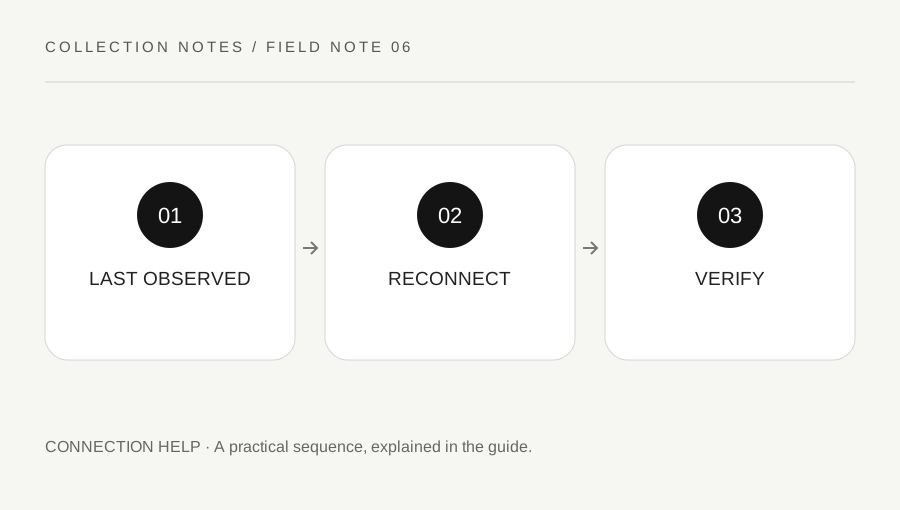
Original explanatory diagram. Examples illustrate a method or decision; they are not claims of personal testing.
Record what you actually saw
Note the time, error wording and last action you observed before the interruption. Distinguish an item displayed in a menu, an incoming purchase, a completed receipt and the base state you could actually verify. Do not convert a memory of a click into certainty that every related game action finished.
Keep the record private where it contains usernames, server invitations or other identifiers. An ordinary screenshot can help, but it does not prove all server-side state or guarantee a recovery outcome. Avoid posting an urgent public message with account secrets or accepting a stranger's offer to recover the collection in exchange for access.
Restore access through supported routes
Use Roblox's official connection guidance and status information where relevant. Confirm that you are using the authorized account and official experience. A normal supported reconnect can be appropriate, but repeated unfamiliar links, modified clients or bypass tools are not a reliable recovery process.
If the issue is broader than one experience, keep that comparison in the note. If access returns, do not immediately perform an irreversible transition to test whether everything works. First inspect the current live base and available state. A connection repair answers whether you can enter, while the experience's saved data and any creator support decision are separate matters.
Compare the current state with the evidence
After joining normally, inspect the relevant supported interface and record what is present. Keep last observed, now visible and uncertain as different categories. Do not assume a different server gives a particular rollback, duplicates an item or changes a loss into a guaranteed refund. This guide does not describe a data-reset trick.
If something appears wrong, gather a concise comparison without repeatedly buying the same item or transferring value to prove the issue. In-experience currency, a Robux purchase and an account-billing problem may need different support routes. Identify the actual transaction or game action before deciding whom to contact.
Work through an interrupted-purchase example
Imagine the player selects an ordinary in-game purchase and disconnects before verifying its completed state. They record the last visible prompt and error. After a supported reconnect, they inspect the actual base and relevant interface before claiming the purchase was received or lost.
If the result remains unclear, they ask through the creator's official route with the time and bounded evidence. They do not promise themselves that rejoining will recover every item or pay a third party to intervene. The example illustrates careful state checking, not the current mechanics of a particular update or a guarantee about what the game stores during interruption.
Send a useful support question and stop escalating risk
Roblox directs experience-specific item or pass issues toward the creator, while account and billing questions have official platform routes. Use links supplied through legitimate Roblox pages and keep receipts or sensitive details in the appropriate support channel. Do not send the same private material to unrelated accounts claiming to be staff.
State the device, time, last observed action, later visible state and the help you need. Keep uncertainty explicit. A useful outcome may be clarification, a technical fix or a creator response; restoration is not guaranteed by this article. Preserve the evidence you are entitled to retain and avoid making the situation harder through repeated unsupported recovery attempts.
A practical checklist
Choices are saved in this browser. Reset them here or clear this site’s browser storage.
Questions that come up
Does reconnecting guarantee a rollback or item recovery?
No. Do not assume a particular saved-state result. Verify the live state and use the relevant official support route.
Does a screenshot prove every transaction completed?
No. It records what was visible, not every server-side event or a recovery entitlement.
Should I pay an outside recovery helper?
Do not share account access or use outside-system recovery deals. Use legitimate creator or Roblox support.
References & scope
Background references checked on 18 October 2026. Worked examples and diagrams are original teaching material.