Steal a Brainrot Purchase Questions: Separate Robux, Passes and In-Game Cash
A purchase question needs the actual item type and transaction record. Keep ordinary game currency, an experience pass and a Roblox account purchase separate before repeating a payment or asking for help.
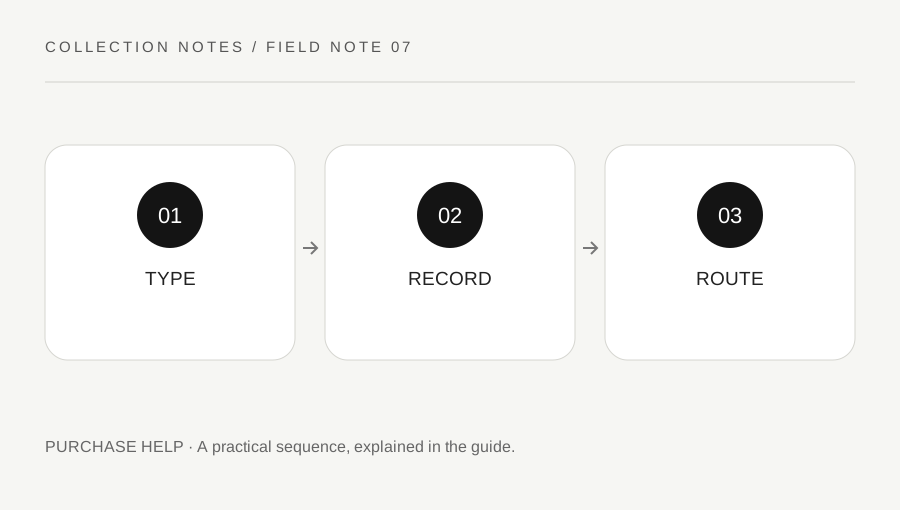
Original explanatory diagram. Examples illustrate a method or decision; they are not claims of personal testing.
Identify what was actually offered
Read the current official purchase prompt and experience page where relevant. A game item bought through ordinary in-game cash is not the same transaction as spending Robux on a pass or perk. A Marketplace avatar item is another category again. Roblox's help explains different item and experience purchase routes, so begin by identifying the one you used.
Do not assume a familiar icon or an outside video's description is the current offer. Check the exact title, item type and stated feature before an authorized purchase. This article does not recommend spending or quote a price. The purpose is to avoid confusing several different systems when a prompt, balance or item result needs clarification.
Check the correct account and history
Use the authorized account where the transaction occurred and inspect its supported history or item information. Roblox provides balance and transaction-history guidance, while receipts for real-money purchases belong to their relevant official payment routes. Keep that evidence private and do not publish billing addresses, full receipt details or account secrets in a game chat.
Record the approximate time, item title and actual status shown. A click on a prompt is not proof that a purchase completed, and a different account's inventory does not answer the question. Avoid repeating a transaction merely to see whether the second attempt works. Establish the first result through the supported records before making another authorized decision.
Use the right support route
Roblox directs experience-specific item and pass issues toward the creator's legitimate contact route. Account or billing issues may belong to Roblox support or the official payment service, depending on the actual transaction. Use the links and instructions supplied through trusted official pages rather than an unsolicited account claiming to be staff.
Do not send money, Robux or account access to an outside helper promising instant restoration. A support request should describe the observed record and the help needed, not demand a result this article cannot guarantee. Keep current offer information and your own evidence separate from an assumed refund or restoration policy.
Work through a missing-perk example
Imagine a player believes they purchased a perk with Robux but cannot identify its effect in Steal a Brainrot. They verify the correct account, exact item and transaction status, then read the current official feature description. They do not compare it with ordinary generated cash or assume it should appear as an avatar item.
If the experience-specific result remains unclear, they contact the creator through the official route with the relevant private evidence. They do not buy the perk again as a test. This example illustrates classification and verification, not a promise that every issue qualifies for a refund or that a particular perk behaves the same after every update.
Keep future decisions understandable
Retain a concise private note of any authorized purchase and its source information while it remains useful. Do not turn an in-game income figure or a rarity label into a real-money value or investment claim. The game's ordinary collection loop and a platform payment are different contexts.
Before any later purchase, read the current prompt again and respect account-owner, parental and spending settings that apply. An old successful transaction does not authorize every future one. A useful purchase-help routine identifies the system, verifies the record and uses the right support channel without exposing private data or escalating uncertainty through repeated payments.
A practical checklist
Choices are saved in this browser. Reset them here or clear this site’s browser storage.
Questions that come up
Should an experience perk appear as an avatar accessory?
Not necessarily. Identify the item type and read its current official description rather than assuming every purchase uses the same inventory category.
Can I buy again to test the first purchase?
Verify the first transaction through supported records and help before considering another authorized decision.
Does this guide guarantee a refund?
No. Use the relevant official support route and actual current policy for the transaction.
References & scope
Background references checked on 18 October 2026. Worked examples and diagrams are original teaching material.